Artificial Intelligence tools have completely changed modern game development workflows. In 2026, many Unity developers use ChatGPT to speed up coding, fix bugs, generate ideas, optimize gameplay systems, and improve overall development productivity.
Instead of spending hours searching forums or debugging simple problems manually, developers can now use AI prompts to generate Unity scripts, explain errors, create game mechanics, optimize performance, and even design entire gameplay systems.
ChatGPT has become especially useful for:
- Beginner Unity developers
- Indie game creators
- Mobile game developers
- Prototype development
- Rapid debugging
- Game idea generation
In this article, we will explore some of the best ChatGPT prompts for Unity developers that can improve workflow efficiency and accelerate game development significantly.
Why Unity Developers Use ChatGPT
Unity game development involves multiple areas including:
- C# scripting
- Game mechanics
- UI systems
- Physics
- Animation
- Optimization
- Mobile compatibility
- Ad integration
Managing all these systems manually can become time-consuming, especially for solo indie developers.
ChatGPT helps developers by:
- Generating scripts faster
- Explaining complex code
- Fixing errors
- Providing optimization suggestions
- Improving learning speed
Many developers now use AI as a coding assistant instead of relying only on traditional documentation searches.
1. Prompt for Generating Unity Player Movement Scripts
One of the most common beginner tasks in Unity is creating player movement systems.
Prompt:
Create a smooth 2D player movement script in Unity using C# with Rigidbody2D support, jump mechanics, and mobile-friendly controls.
This type of prompt can generate:
- Player movement logic
- Jump systems
- Physics integration
- Mobile optimization suggestions
Developers can then customize the generated script according to their gameplay requirements.
2. Prompt for Fixing Unity Errors
Unity developers frequently encounter scripting errors and console issues.
Prompt:
Explain this Unity error and provide a complete fix with examples:
NullReferenceException in Unity C#
This helps developers understand:
- Error causes
- Code debugging
- Object references
- Scene setup mistakes
AI debugging assistance can significantly reduce development time.
3. Prompt for Mobile Game Optimization
Mobile game optimization is extremely important for Android game performance.
Prompt:
How can I optimize my Unity mobile game for low-end Android devices?
ChatGPT may suggest:
- Texture compression
- Reducing draw calls
- Object pooling
- Lighting optimization
- Garbage collection improvements
Optimization prompts are especially useful for indie mobile developers targeting budget devices.
4. Prompt for AdMob Integration
Many Unity developers monetize games using Google AdMob.
Prompt:
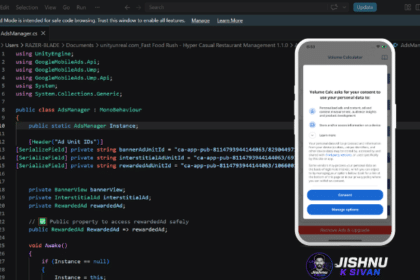
Create a Unity AdMob manager script with Banner Ads, Interstitial Ads, and Rewarded Ads using the latest Google Mobile Ads SDK.

This can help generate:
- Ad initialization systems
- Reward callbacks
- Banner controls
- Automatic ad reloading
Developers should still verify generated scripts before production release.
5. Prompt for Game Ideas
Game idea generation is another powerful AI use case.
Prompt:
Generate 10 unique mobile game ideas for indie Unity developers with simple mechanics and high replay value.
This can help developers discover:
- Casual game concepts
- Hyper-casual ideas
- Puzzle mechanics
- Monetization opportunities
AI-generated ideas can inspire prototype development quickly.
6. Prompt for Inventory Systems
Inventory systems are common in RPG and survival games.
Prompt:
Create a basic inventory system in Unity using C# with item pickup and UI support.
Generated systems may include:
- Inventory slots
- Item management
- UI integration
- Data storage
7. Prompt for Enemy AI
Enemy AI systems are essential in many games.
Prompt:
Create a simple enemy AI script in Unity that follows the player and attacks within range.
This may generate:
- Pathfinding logic
- Attack systems
- Detection radius
- Animation triggers
8. Prompt for Unity UI Design
UI systems are important for mobile game usability.
Prompt:
Suggest a modern mobile game UI design layout for a Unity casual game.
AI can suggest:
- Button placement
- Menu hierarchy
- HUD structure
- Responsive layouts
9. Prompt for Shader Generation
Unity shaders can become complex for beginners.
Prompt:
Create a simple water shader for Unity URP with wave animation.
This may generate:
- Shader Graph ideas
- HLSL code
- Visual effect suggestions
10. Prompt for Firebase Integration
Firebase is commonly used in Unity mobile games.
Prompt:
How do I integrate Firebase Authentication in Unity using email login?
This may provide:
- SDK setup steps
- Authentication scripts
- Dependency handling
- Error troubleshooting
11. Prompt for Procedural Generation
Procedural generation is useful for endless games and dynamic worlds.
Prompt:
Create a procedural endless runner level generator in Unity.
AI can help generate:
- Tile spawning systems
- Random obstacle placement
- Object pooling logic
12. Prompt for Unity Learning
Beginners can also use ChatGPT as a Unity tutor.
Prompt:
Explain Unity Rigidbody physics for beginners with simple examples.
This allows faster learning compared to reading highly technical documentation alone.
Best Practices When Using ChatGPT for Unity Development
- Always test generated scripts
- Do not blindly copy code
- Optimize AI-generated systems
- Learn the logic behind scripts
- Use AI as an assistant, not a replacement
AI tools work best when combined with real development knowledge.
Advantages of Using ChatGPT for Unity Development
- Faster prototyping
- Reduced debugging time
- Better learning speed
- Quick idea generation
- Improved productivity
- Beginner-friendly assistance
Limitations of AI-Generated Unity Code
Although AI tools are powerful, developers should understand their limitations.
- Generated code may contain bugs
- Some scripts may be outdated
- Optimization may be incomplete
- Complex systems still require manual design
Professional developers usually modify and improve AI-generated code before production use.
Can ChatGPT Replace Unity Developers?
No. ChatGPT is a powerful assistant, but it cannot fully replace creative game developers.
Game design, gameplay balancing, visual creativity, user experience, storytelling, and advanced optimization still require human decision-making.
AI tools are best used to improve developer productivity rather than replace developers entirely.
Conclusion
ChatGPT has become one of the most useful AI tools for Unity developers in 2026. From script generation and debugging to optimization and game idea creation, AI prompts can significantly improve development speed and workflow efficiency.
Whether you are a beginner learning Unity or an indie developer building mobile games, using the right ChatGPT prompts can save time and simplify many common development tasks.
However, developers should always review, test, and optimize AI-generated code carefully before using it in production projects.
When used properly, ChatGPT can become a highly valuable assistant for modern Unity game development.
You may also like: