Monetization is one of the most important aspects of modern mobile game development. Many indie developers and Unity game creators rely on Google AdMob to generate revenue from their Android games. AdMob provides multiple advertisement formats including Banner Ads, Interstitial Ads, Rewarded Ads, and App Open Ads, allowing developers to monetize games efficiently while maintaining good user experience.
Instead of writing separate ad scripts for every scene or advertisement type, professional Unity developers often create a centralized Ads Manager system. An Ads Manager simplifies advertisement handling by controlling all ad loading, initialization, display logic, and ad lifecycle management from a single script.
In this tutorial, we will analyze a complete Unity AdMob Ads Manager script built using C#. This system supports:
- Banner Ads
- Interstitial Ads
- Rewarded Ads
- Google Mobile Ads SDK
- UMP Consent SDK Integration
- Automatic Ad Reloading
- Singleton Ads Manager Architecture
This Ads Manager is designed for Unity mobile games and provides a scalable monetization structure suitable for arcade games, casual games, endless runners, puzzle games, and other Android projects.
By the end of this article, you will understand how to build a professional AdMob Ads Manager in Unity and implement ad monetization properly inside your mobile games.
1. Understanding the Ads Manager Structure
The script begins by importing essential namespaces required for Unity, AdMob SDK, and Google UMP Consent SDK functionality.
using UnityEngine;
using GoogleMobileAds.Api;
using GoogleMobileAds.Ump;
using GoogleMobileAds.Ump.Api;
using System;
using System.Collections.Generic;
These namespaces allow the Ads Manager to access:
- Unity game engine functionality
- Google Mobile Ads SDK
- User Messaging Platform (UMP)
- Ad request handling
- Reward callback systems
The main Ads Manager class inherits from MonoBehaviour:
public class AdsManager : MonoBehaviour
This allows the script to function as a Unity component attached to GameObjects inside the scene.
One major advantage of centralized ad management is code organization. Instead of spreading ad logic across multiple game scripts, developers can manage all advertisements from one scalable system.
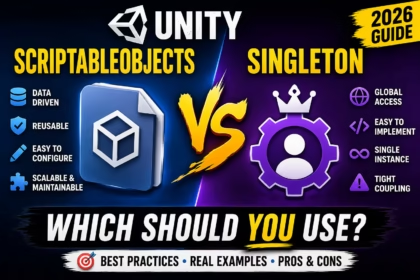
2. Implementing Singleton Pattern in Unity
The script uses a Singleton pattern to ensure only one Ads Manager instance exists during the entire game lifecycle.
public static AdsManager Instance;
Inside the Awake() method:
if (Instance == null)
{
    Instance = this;
    DontDestroyOnLoad(gameObject);
}
else
{
    Destroy(gameObject);
}
This prevents duplicate Ads Manager objects from being created when scenes change.
Benefits of using Singleton architecture:
- Global ad access
- Prevents duplicate ads
- Persistent monetization system
- Cleaner architecture
- Easy scene management
- Better memory handling
The line:
DontDestroyOnLoad(gameObject);
ensures the Ads Manager remains active even when switching between game scenes.
3. Ad Unit ID Configuration
The Ads Manager stores separate AdMob Ad Unit IDs for Banner Ads, Interstitial Ads, and Rewarded Ads.
[SerializeField] private string bannerAdUnitId
[SerializeField] private string interstitialAdUnitId
[SerializeField] private string rewardedAdUnitId
Using SerializeField allows developers to modify Ad Unit IDs directly inside the Unity Inspector without changing code manually.
This improves flexibility and simplifies project configuration for testing and production builds.
Each ad format serves different purposes:
- Banner Ads → Passive monetization
- Interstitial Ads → Fullscreen transition ads
- Rewarded Ads → Optional reward-based ads
Separating ad units properly is important for maintaining good AdMob account structure and analytics tracking.
4. Initializing Google Mobile Ads SDK
The Ads Manager initializes AdMob using:
MobileAds.Initialize(initStatus =>
{
    LoadBannerAd();
    LoadInterstitialAd();
    LoadRewardedAd();
});
This ensures the Google Mobile Ads SDK loads correctly before advertisements are requested.
Initialization is extremely important because attempting to load ads before SDK initialization may result in advertisement failures.
After successful initialization, the script automatically:
- Loads Banner Ads
- Loads Interstitial Ads
- Loads Rewarded Ads
Preloading ads improves user experience because advertisements become ready before gameplay events trigger them.
If you are learning Unity development, you may also like our article on Best AI Tools for Developers.
5. Implementing Banner Ads in Unity
Banner Ads are small advertisements displayed continuously during gameplay or menu screens.
The script creates a BannerView:
bannerView = new BannerView(
    bannerAdUnitId,
    AdSize.Banner,
    AdPosition.Bottom
);
This positions the banner at the bottom of the screen.
Banner Ad advantages:
- Low interruption
- Passive revenue
- Simple implementation
- Lightweight ad format
- Ideal for menu screens
Ads are loaded using:
AdRequest adRequest = new AdRequest();
bannerView.LoadAd(adRequest);
The Ads Manager also provides:
ShowBanner()
HideBanner()
These functions allow developers to control when banners appear during gameplay.
For example:
- Hide banners during gameplay
- Show banners in menus
- Hide ads during cutscenes
Proper banner placement is important because intrusive advertisements may reduce player retention.
6. Interstitial Ad Implementation
Interstitial Ads are fullscreen advertisements typically displayed between gameplay transitions such as:
- Level completion
- Game over screens
- Scene transitions
- Pause menu exits
The script loads Interstitial Ads using:
InterstitialAd.Load(interstitialAdUnitId, adRequest,
    (InterstitialAd ad, LoadAdError error) =>
If loading succeeds:
interstitialAd = ad;
The script also listens for ad closing events:
interstitialAd.OnAdFullScreenContentClosed += () =>
{
    LoadInterstitialAd();
};
This automatically reloads the next interstitial after the current advertisement closes.
Automatic reloading is extremely important because AdMob interstitial ads expire after use.
Showing interstitials carefully is important for user experience. Excessive fullscreen ads may frustrate players and reduce game retention.
7. Rewarded Ads System
Rewarded Ads are one of the most profitable and player-friendly advertisement formats in mobile gaming.
Players voluntarily watch advertisements in exchange for rewards such as:
- Extra lives
- Coins
- Revives
- Power-ups
- Unlockable items
The script loads Rewarded Ads using:
RewardedAd.Load(rewardedAdUnitId, adRequest,
    (RewardedAd ad, LoadAdError error) =>
Rewarded Ads provide several major advantages for Unity developers:
- High CPM revenue potential
- Better player acceptance compared to forced ads
- Optional advertisement viewing
- Improved player retention
- Balanced monetization strategy
Reward callbacks are handled here:
rewardedAd.Show(reward =>
{
    Debug.Log($"User earned reward");
    onRewardEarned?.Invoke();
});
This allows developers to execute custom reward logic after users successfully watch the advertisement.
For example:
- Revive player after death
- Give bonus currency
- Unlock premium rewards
Rewarded Ads are considered one of the safest monetization methods because players choose to watch them voluntarily.
8. Google UMP Consent SDK Integration
The script also integrates Google’s User Messaging Platform (UMP) Consent SDK.
This system helps developers comply with privacy regulations such as:
- GDPR
- European consent laws
- User privacy policies
Consent information is requested using:
ConsentInformation.Update(request,
    (FormError updateError) =>
If a consent form is available:
LoadAndShowConsentForm();
This displays Google’s consent popup to users before loading advertisements.
Privacy compliance has become extremely important for mobile app monetization in recent years, especially for games targeting European audiences.
Developers ignoring consent systems may face AdMob policy issues and reduced advertisement eligibility.
9. Advantages of This Ads Manager System
This Ads Manager architecture provides several advantages for Unity developers building monetized mobile games.
The centralized structure simplifies maintenance and improves scalability as projects grow larger.
Automatic ad reloading reduces manual management complexity while ensuring advertisements remain available during gameplay.
Main advantages of this system:
- Clean project structure
- Centralized monetization
- Easy scene integration
- Automatic ad reload system
- GDPR compliance support
- Scalable architecture
Using singleton architecture also prevents duplicate advertisement systems from causing memory leaks or ad conflicts.
This structure works especially well for:
- Casual games
- Arcade games
- Puzzle games
- Endless runners
- Hyper-casual games
10. Best Practices for AdMob Monetization
While implementing ads is important, maintaining good user experience is equally critical for long-term monetization success.
Developers should avoid showing excessive interstitial ads because aggressive monetization may reduce player retention and increase uninstall rates.
Rewarded Ads generally provide better user acceptance because players choose to watch advertisements voluntarily.
Banner ads should not overlap important gameplay UI elements. Proper spacing improves both usability and advertisement visibility.
Testing advertisements thoroughly before release is extremely important. Developers should verify:
- Ad loading
- Reward callbacks
- Scene transitions
- Offline handling
- Consent forms
Using test ads during development also helps prevent accidental invalid traffic violations on AdMob accounts.
If you want to optimize mobile ad performance further, you may also like our article on Best Ad Placement Tips for Mobile Apps.

Conclusion
Creating a professional Ads Manager system in Unity is one of the best ways to manage AdMob monetization efficiently inside mobile games. Instead of handling advertisements separately across multiple scripts and scenes, centralized ad management creates cleaner architecture, easier maintenance, and better scalability.
This Unity Ads Manager supports Banner Ads, Interstitial Ads, Rewarded Ads, and Google UMP Consent SDK integration, making it suitable for modern Android game monetization workflows.
Using singleton architecture, automatic ad reloading, reward callbacks, and GDPR consent systems helps developers build more stable and policy-compliant monetization systems for their games.
As mobile game monetization continues evolving in 2026, combining strong gameplay experiences with balanced advertisement strategies remains one of the most effective ways for indie developers to generate sustainable revenue from Unity games.
Download Admanager.cs