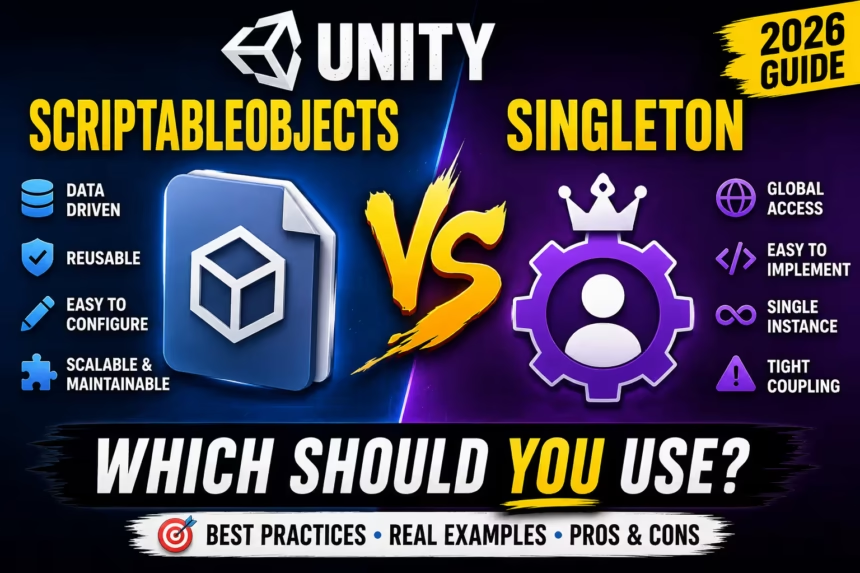
Unity developers often choose between Singletons and ScriptableObjects to manage global systems and game data. Singletons provide centralized access for persistent managers like audio or save systems. However, they can create tight coupling and testing challenges in large-scale projects if used excessively for all game logic.
ScriptableObjects offer a data-driven alternative by storing information as reusable assets independent of scenes. They are ideal for weapon stats and enemy configurations. Modern Unity architecture typically combines both patterns, using Singletons for global managers and ScriptableObjects for scalable, designer-friendly data management.
As Unity projects grow larger and more complex, developers need efficient ways to manage game data and global systems.
Two of the most commonly used approaches are ScriptableObjects and the Singleton Pattern.
Both are powerful tools, but they serve different purposes.
Choosing the wrong approach can lead to tightly coupled code, maintenance problems, and scalability issues as your game expands.
In this guide, we’ll compare ScriptableObjects and Singletons, explore their strengths and weaknesses, and determine when you should use each one in modern Unity development.
Why This Comparison Matters
Most beginner Unity projects start with simple scripts and direct references.
As features grow, developers often need:
- Global managers
- Shared game data
- Reusable configurations
- Better project organization
This is where ScriptableObjects and Singletons enter the picture.
Understanding the difference between them can help you build cleaner and more scalable projects.
What Is a Singleton?
A Singleton is a design pattern that ensures only one instance of a class exists during runtime.
Example:
public class GameManager : MonoBehaviour
{
    public static GameManager Instance;

    private void Awake()
    {
        if (Instance == null)
        {
            Instance = this;
        }
        else
        {
            Destroy(gameObject);
        }
    }
}
You can access it from anywhere:
GameManager.Instance.StartGame();
This makes Singletons extremely popular for global systems.
Advantages of Singleton
Easy Global Access
No references are required.
AudioManager.Instance.PlaySound();
Any script can access the manager instantly.
Simple to Implement
Singletons are easy to understand and quick to set up, making them beginner-friendly.
Perfect for Global Managers
Common examples include:
- Game Manager
- Audio Manager
- Input Manager
- Analytics Manager
- Save Manager
Disadvantages of Singleton
Tight Coupling
Many systems become dependent on:
GameManager.Instance
This creates strong dependencies between systems.
Difficult Testing
Unit testing becomes more complicated because everything relies on a single global instance.
Scaling Problems
As projects grow, Singletons can become difficult to maintain and debug.
Hidden Dependencies
Scripts may depend on managers without obvious references in the Inspector.
This can make debugging more difficult.
What Is a ScriptableObject?
A ScriptableObject is a Unity asset designed to store data independently from scenes and GameObjects.
Example:
using UnityEngine;

[CreateAssetMenu]
public class PlayerData : ScriptableObject
{
    public int health;
    public int coins;
}
After compiling, you can create an asset:
Assets
→ Create
→ PlayerData
The data now exists as a reusable asset file.
Advantages of ScriptableObjects
Data Separation
Data remains separate from gameplay logic.
This improves organization and maintainability.
Designer-Friendly Workflow
Designers can edit values directly inside the Unity Inspector without modifying code.
Reusable Assets
The same asset can be referenced by multiple objects and scenes.
Reduced Memory Duplication
Multiple objects can share a single ScriptableObject asset instead of storing duplicate data.
Scalable Architecture
Large projects become easier to manage because data is centralized and reusable.
Disadvantages of ScriptableObjects
Learning Curve
Beginners often find ScriptableObjects confusing at first.
Not Designed for Runtime Managers
ScriptableObjects excel at storing data but are not intended to replace every gameplay system.
Asset Management Required
Large projects may contain hundreds of ScriptableObject assets.
Proper folder organization becomes important.
Performance Comparison
| Feature | Singleton | ScriptableObject |
|---|---|---|
| Ease of Setup | Excellent | Good |
| Global Access | Excellent | Moderate |
| Scalability | Limited | Excellent |
| Maintainability | Moderate | Excellent |
| Memory Efficiency | Good | Excellent |
| Team Collaboration | Moderate | Excellent |
| Data Management | Limited | Excellent |
For large projects, ScriptableObjects generally provide a cleaner and more scalable solution.
Best Use Cases for Singleton
Singletons work best for systems that should only exist once.
Audio Manager
AudioManager.Instance.PlaySound();
Game Manager
GameManager.Instance.StartGame();
Save System
SaveManager.Instance.SaveGame();
Analytics Manager
AnalyticsManager.Instance.LogEvent();
Best Use Cases for ScriptableObjects
ScriptableObjects work best for reusable data.
Character Stats
- Health
- Damage
- Speed
- Defense
Weapons
- Damage
- Fire Rate
- Range
- Ammo Capacity
Enemy Configurations
- Health
- Movement Speed
- Rewards
Game Settings
- Difficulty
- Audio Settings
- Graphics Settings
Example: Weapon System
Singleton Approach
A central manager stores all weapon information:
WeaponManager.Instance.CurrentWeapon
Every system depends on the manager.
ScriptableObject Approach
Each weapon stores its own configuration:
Sword.asset
Bow.asset
Gun.asset
RocketLauncher.asset
This makes adding new weapons significantly easier.
Why Modern Unity Projects Prefer ScriptableObjects
Many professional studios use ScriptableObjects extensively because they:
- Reduce code complexity
- Improve project organization
- Enable data-driven design
- Support designer workflows
- Scale better in large projects
This is especially valuable in RPGs, strategy games, simulation games, and live-service projects.
Can You Use Both Together?
Absolutely.
In fact, many professional Unity projects combine both approaches.
Singletons For
- Game Manager
- Audio Manager
- Save Manager
- Analytics Manager
ScriptableObjects For
- Weapons
- Characters
- Enemies
- Items
- Skills
- Game Configuration
This hybrid architecture is often considered the best approach.
Common Beginner Mistakes
Making Everything a Singleton
This creates tightly coupled code and maintenance issues.
Using ScriptableObjects for Everything
Not every system should be converted into a ScriptableObject.
Mixing Data and Logic
Keep gameplay logic in scripts and data in ScriptableObjects whenever possible.
Ignoring Asset Organization
Create dedicated folders for ScriptableObject assets to keep projects manageable.
Recommended Architecture for 2026
| System | Recommended Approach |
|---|---|
| Audio Manager | Singleton |
| Game Manager | Singleton |
| Save System | Singleton |
| Analytics | Singleton |
| Weapons | ScriptableObject |
| Items | ScriptableObject |
| Characters | ScriptableObject |
| Enemy Data | ScriptableObject |
Frequently Asked Questions
Are ScriptableObjects better than Singletons?
Not necessarily. They solve different problems and are often used together.
Should beginners learn ScriptableObjects?
Yes. They are widely used in professional Unity development.
Can ScriptableObjects replace Singletons?
Only partially. Runtime managers still benefit from Singleton patterns.
Which approach scales better?
ScriptableObjects generally scale better in large projects.
Do ScriptableObjects improve performance?
They can reduce memory duplication and improve project organization.
Final Verdict
Singletons are excellent for managing global systems such as audio, game flow, saving, and analytics.
ScriptableObjects are ideal for storing reusable game data such as weapons, characters, enemies, inventory items, and configuration settings.
For modern Unity development in 2026, the best solution is usually a hybrid approach:
- Use Singletons for managers.
- Use ScriptableObjects for data.
- Keep responsibilities clearly separated.
This architecture improves maintainability, scalability, and collaboration while keeping your project clean and organized.