Android development continues to evolve rapidly, and choosing the right libraries can significantly improve productivity, app performance, and code maintainability.
Whether you’re building a simple utility application, an e-commerce platform, or a large-scale enterprise app, modern Android libraries help developers save time and follow industry best practices.
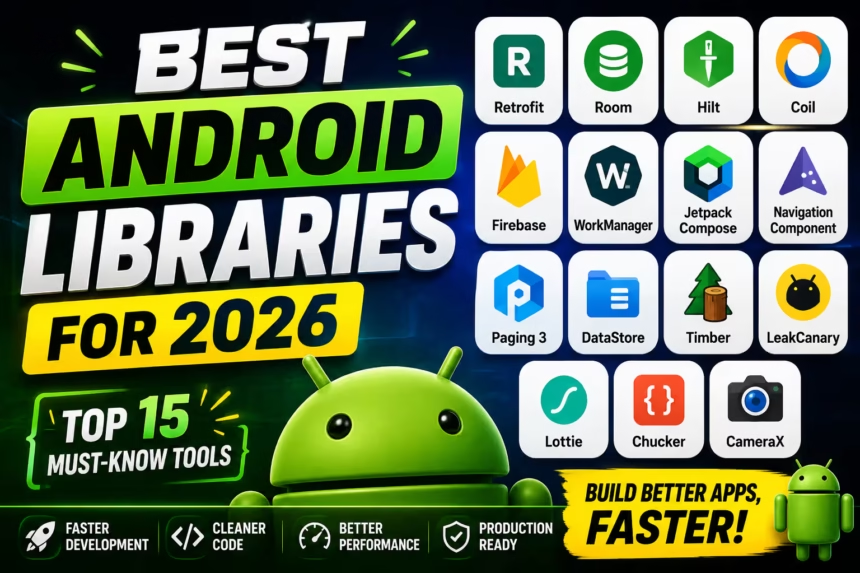
In this guide, we’ll explore the best Android libraries for 2026 that every Android developer should consider learning and using in their projects.
Why Android Libraries Matter
Android libraries simplify development by providing pre-built solutions for common tasks.
Benefits include:
- Faster development
- Cleaner code architecture
- Reduced bugs
- Better performance
- Improved maintainability
- Modern development practices
1. Retrofit
Retrofit remains the most popular networking library for Android development.
Why Use Retrofit?
- Easy REST API integration
- Kotlin Coroutine support
- JSON serialization support
- Excellent documentation
Example
@GET("users")
suspend fun getUsers(): List<User>
If your app communicates with a backend server, Retrofit is almost essential.
2. Room Database
Room is Google’s recommended local database solution built on top of SQLite.
Benefits
- Type-safe database queries
- Easy integration with ViewModel
- LiveData and Flow support
- Reduced boilerplate code
Example
@Entity
data class User(
    @PrimaryKey val id: Int,
    val name: String
)
Room is perfect for offline-first applications and local caching.
3. Hilt
Hilt is Google’s official dependency injection library.
Why Developers Love Hilt
- Cleaner architecture
- Easier testing
- Automatic dependency management
- Built on Dagger
Example
@HiltAndroidApp
class MyApplication : Application()
Hilt makes large Android projects easier to manage and scale.
4. Coil
Coil is a lightweight, Kotlin-first image loading library.
Advantages
- Fast image loading
- Coroutine support
- Smaller APK size
- Jetpack Compose integration
Example
imageView.load(imageUrl)
For modern Android apps, Coil is often preferred over older image libraries.
5. Firebase
Firebase provides a complete backend ecosystem for Android applications.
Popular Firebase Services
- Authentication
- Cloud Firestore
- Realtime Database
- Cloud Messaging
- Analytics
- Crashlytics
- Remote Config
Firebase helps developers launch apps faster without building custom backend infrastructure.
6. WorkManager
WorkManager is Google’s recommended solution for background processing.
Common Use Cases
- File uploads
- Data synchronization
- Background notifications
- Periodic tasks
It automatically handles Android battery optimizations and scheduling restrictions.
7. Jetpack Compose
Jetpack Compose is the future of Android UI development.
Benefits
- Less code
- Faster UI creation
- Reactive programming model
- Excellent Kotlin integration
Example
Text("Hello Android")
Many new Android projects now use Compose instead of XML layouts.
8. Navigation Component
The Navigation Component simplifies screen navigation and back-stack management.
Features
- Safe navigation
- Deep linking
- Navigation graphs
- Better lifecycle handling
It significantly reduces navigation-related bugs.
9. Paging 3
Paging 3 helps efficiently load large datasets.
Perfect For
- Social media feeds
- News apps
- E-commerce product lists
- Messaging apps
Benefits
- Reduced memory usage
- Smoother scrolling
- Improved performance
10. DataStore
DataStore is Google’s modern replacement for SharedPreferences.
Advantages
- Kotlin Flow support
- Asynchronous operations
- Improved reliability
- Type safety
For storing app settings and preferences, DataStore is the recommended solution.
11. Timber
Timber simplifies Android logging.
Example
Timber.d("User logged in")
Benefits
- Cleaner logs
- Better debugging
- Production-ready logging
12. LeakCanary
Memory leaks can cause crashes, slowdowns, and excessive memory consumption.
LeakCanary automatically detects memory leaks during development.
Benefits
- Automatic leak detection
- Performance improvements
- Better app stability
Every Android developer should use LeakCanary in development builds.
13. Lottie
Lottie enables beautiful animations using JSON files exported from Adobe After Effects.
Common Uses
- Loading screens
- Onboarding animations
- Success animations
- Interactive UI effects
Lottie animations are lightweight and highly customizable.
14. Chucker
Chucker is a powerful network inspection tool.
Features
- Inspect API requests
- View API responses
- Monitor headers
- Debug networking issues
It is especially useful during development and testing.
15. CameraX
CameraX simplifies camera integration across Android devices.
Advantages
- Modern camera APIs
- Better compatibility
- Reduced implementation complexity
- Image capture support
- Video recording support
CameraX is the recommended solution for camera-based Android applications.
Recommended Android Library Stack for 2026
| Purpose | Library |
|---|---|
| User Interface | Jetpack Compose |
| Networking | Retrofit |
| Database | Room |
| Dependency Injection | Hilt |
| Images | Coil |
| Backend Services | Firebase |
| Background Tasks | WorkManager |
| Preferences | DataStore |
| Debugging | Chucker |
| Memory Leak Detection | LeakCanary |
Best Libraries for Beginners
If you’re new to Android development, start with:
- Retrofit
- Room
- Firebase
- Jetpack Compose
- Coil
These libraries appear in a large percentage of modern Android applications.
Best Libraries for Advanced Developers
- Hilt
- WorkManager
- Paging 3
- LeakCanary
- CameraX
- Navigation Component
These libraries help build scalable production-ready applications.
Frequently Asked Questions
Which Android library is most important in 2026?
Retrofit and Jetpack Compose remain among the most important libraries for modern Android development.
Is Firebase still worth learning?
Yes. Firebase continues to be one of the most popular backend solutions for Android applications.
Should beginners learn Hilt?
Yes, after understanding Android fundamentals and application architecture.
Is Room better than SQLite?
Room simplifies SQLite development and reduces boilerplate code significantly.
Is Jetpack Compose replacing XML?
Jetpack Compose is becoming the preferred UI toolkit for new Android projects.
Final Verdict
Android development in 2026 is faster and more efficient thanks to modern libraries that simplify networking, databases, dependency injection, UI creation, backend integration, and debugging.
For most Android developers, the ideal library stack includes:
- Jetpack Compose
- Retrofit
- Room
- Hilt
- Firebase
- Coil
- WorkManager
Learning these libraries will help you build scalable, maintainable, and production-ready Android applications much faster.