Android app security has evolved significantly over the years. For a long time, developers relied on Google’s SafetyNet Attestation API to verify device integrity and detect rooted or modified devices.
However, Google is now encouraging developers to move to the Play Integrity API, a more advanced solution that provides stronger security signals and better protection against fraud, tampering, and cheating.
If you’re building Android apps or Unity games in 2026, understanding the differences between SafetyNet and Play Integrity is essential.
This guide compares both technologies, explains their strengths and weaknesses, and helps you decide which one is right for your project.
What Is SafetyNet?
SafetyNet Attestation was introduced by Google to help developers determine whether an Android device could be trusted.
It allowed apps to verify:
- Whether a device was rooted
- Whether the operating system had been modified
- Whether the device passed Google’s compatibility tests
- Whether the environment appeared secure
For years, SafetyNet became the standard solution for Android security validation.
It was widely used in:
- Banking applications
- Payment apps
- Mobile games
- E-commerce platforms
- Subscription services
What Is Google Play Integrity API?
The Play Integrity API is Google’s modern replacement for SafetyNet.
It helps developers verify:
- Device integrity
- App authenticity
- Google Play installation status
- Potential tampering attempts
- Fraud and abuse indicators
Compared to SafetyNet, Play Integrity provides more detailed security signals and stronger protection mechanisms.
Why Google Introduced Play Integrity API
Over time, attackers discovered methods to bypass certain SafetyNet checks.
Google responded by creating a more comprehensive security framework that combines:
- Device validation
- Application validation
- Google Play verification
- Enhanced anti-tampering checks
The result is the Play Integrity API.
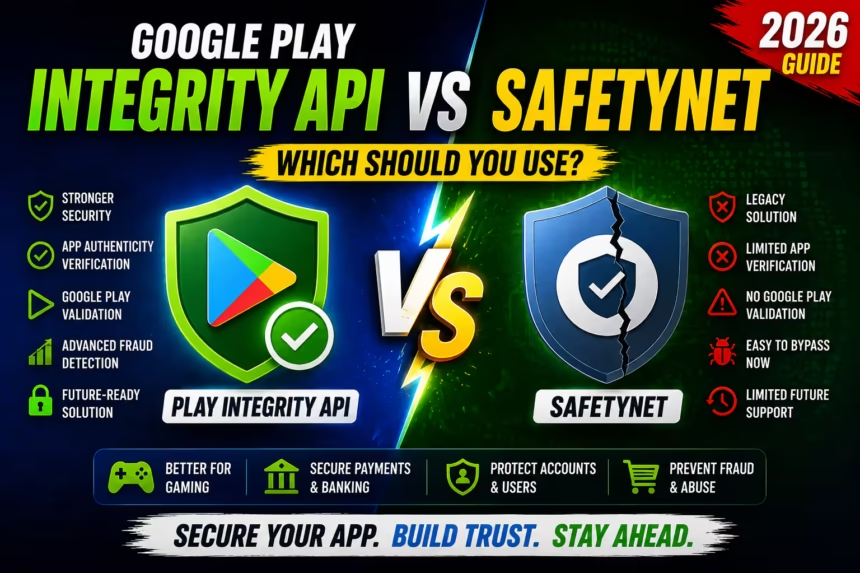
SafetyNet vs Play Integrity: Quick Comparison
| Feature | SafetyNet | Play Integrity API |
|---|---|---|
| Status | Legacy Solution | Current Google Solution |
| Root Detection | Yes | Improved |
| App Verification | Limited | Advanced |
| Google Play Validation | No | Yes |
| Fraud Detection | Basic | Enhanced |
| Future Support | Limited | Active Development |
| Recommended for New Apps | No | Yes |
How SafetyNet Works
SafetyNet Attestation returns information about the device environment.
Developers commonly check:
basicIntegrity
ctsProfileMatch
basicIntegrity
Indicates whether the device appears to have basic integrity.
Failures often suggest:
- Rooted devices
- Modified systems
- Emulators
ctsProfileMatch
Indicates whether the device matches Google’s Compatibility Test Suite requirements.
If both values pass, the device is generally considered trustworthy.
How Play Integrity API Works
Play Integrity provides multiple integrity verdicts.
Examples include:
MEETS_BASIC_INTEGRITY
MEETS_DEVICE_INTEGRITY
MEETS_STRONG_INTEGRITY
These verdicts provide deeper insights into the security state of the device and application.
Developers can apply different security policies based on the returned results.
Major Advantages of Play Integrity API
1. App Authenticity Verification
Play Integrity can verify whether the application is genuine and installed through legitimate channels.
This helps reduce:
- APK tampering
- Modded applications
- Pirated copies
2. Better Root Detection
Play Integrity provides stronger integrity checks compared to older SafetyNet implementations.
This improves security for sensitive applications.
3. Enhanced Anti-Cheat Protection
Game developers can use Play Integrity to identify:
- Modified game clients
- Suspicious environments
- Potential cheating attempts
This is especially valuable for competitive multiplayer games.
4. Google Play Verification
One of the biggest improvements is verifying whether the app was installed from Google Play.
SafetyNet did not provide this capability.
Benefits for Unity Developers
Unity game developers can use Play Integrity to:
- Reduce cheating
- Protect in-app purchases
- Verify genuine installations
- Prevent account abuse
- Secure online leaderboards
For multiplayer and competitive games, Play Integrity can significantly improve security.
Benefits for Android App Developers
Applications handling sensitive data can benefit from:
- Fraud prevention
- Device validation
- Account protection
- Subscription security
- Transaction verification
Industries that benefit include:
- Banking
- Fintech
- E-commerce
- Gaming
- Healthcare
Migrating from SafetyNet to Play Integrity
If your application still uses SafetyNet, migration should be part of your future development roadmap.
Step 1: Review Existing Logic
Identify where SafetyNet attestation is currently used.
Step 2: Integrate Play Integrity API
Add Play Integrity support to your Android application.
Step 3: Update Backend Validation
Server-side verification should be updated to process integrity tokens.
Step 4: Test Across Devices
Verify behavior on:
- Physical devices
- Different Android versions
- Various manufacturers
Step 5: Monitor Integrity Responses
Track integrity verdicts and fine-tune security policies.
Common Mistakes Developers Make
Using Client-Side Validation Only
Integrity results should always be validated on a secure backend server.
Blocking Every Failed Device
Not all integrity failures indicate malicious behavior.
Some legitimate users may fail certain checks.
Ignoring Migration Planning
Developers who continue relying entirely on SafetyNet may face future compatibility challenges.
When Should You Use SafetyNet?
Only in situations where:
- You maintain legacy projects
- You are still completing migration
- Existing infrastructure depends on SafetyNet
For new applications, SafetyNet is generally not recommended.
When Should You Use Play Integrity API?
Play Integrity is the best choice for:
- New Android applications
- Unity mobile games
- Banking apps
- Subscription services
- Online multiplayer games
- Apps with in-app purchases
Play Integrity API vs SafetyNet: Final Comparison
| Category | Winner |
|---|---|
| Security | Play Integrity API |
| Future Support | Play Integrity API |
| App Verification | Play Integrity API |
| Fraud Prevention | Play Integrity API |
| Legacy Compatibility | SafetyNet |
| Android Development | Play Integrity API |
| Unity Development | Play Integrity API |
Frequently Asked Questions
Is SafetyNet deprecated?
Google recommends developers migrate to Play Integrity API for modern Android security implementations.
Can Unity games use Play Integrity?
Yes. Unity developers can integrate Play Integrity through plugins or native Android implementations.
Does Play Integrity improve anti-cheat systems?
Yes. It provides stronger signals for identifying potentially compromised environments.
Do offline apps need Play Integrity?
Usually not, unless tamper detection is important.
Is Play Integrity more secure than SafetyNet?
Generally yes. It provides additional verification layers and stronger integrity checks.
Final Verdict
SafetyNet served Android developers well for many years, but Play Integrity API is now the future of Android application security.
For new projects in 2026:
- Use Play Integrity API.
- Implement server-side validation.
- Protect premium features and online services.
- Migrate legacy SafetyNet implementations when possible.
For Android apps and Unity games that require modern security, fraud prevention, anti-cheat protection, and app authenticity verification, Play Integrity API is the clear winner.