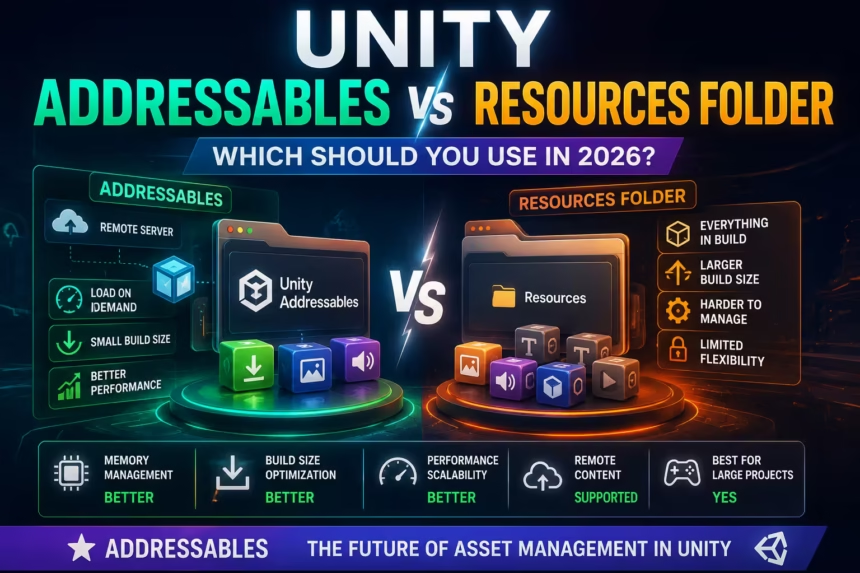
Asset management plays a crucial role in every Unity project, whether you’re building a simple mobile game or a large-scale commercial application. Choosing the right way to load and manage assets can significantly affect your game’s performance, memory usage, build size, and long-term maintainability.
Many Unity developers begin their journey using the Resources folder because it is simple and easy to understand. However, as projects become larger and more complex, developers often discover limitations related to memory management and scalability.
To address these challenges, Unity introduced the Addressable Asset System, commonly known as Addressables. This modern asset management solution provides more flexibility, better performance, and improved control over how assets are loaded and unloaded.
In this guide, we’ll compare Unity Addressables and the Resources Folder, explore their advantages and disadvantages, and help you decide which option is best for your Unity project in 2026.
What is the Resources Folder in Unity?
The Resources folder is Unity’s traditional asset-loading system.
Any asset placed inside a folder named:
Assets/Resources/
can be loaded at runtime using code.
For example:
GameObject playerPrefab = Resources.Load<GameObject>("Player");
Unity automatically includes all assets stored inside the Resources folder when building the project.
Because of its simplicity, many beginner tutorials still rely heavily on the Resources system.
Advantages of the Resources Folder
Easy to Learn
The Resources system is extremely beginner-friendly. Developers can start loading assets with only a few lines of code.
Quick Setup
No additional packages or configuration steps are required.
Great for Prototyping
Resources works well for:
- Learning projects
- Tutorial projects
- Game jams
- Small prototypes
Fast Development
Developers can quickly load assets without worrying about asset groups, labels, or catalogs.
Disadvantages of the Resources Folder
Increased Build Size
Every asset placed inside the Resources folder is automatically included in the final build.
Even unused assets increase APK and application size.
Poor Scalability
Managing hundreds or thousands of assets becomes difficult as projects grow.
Limited Memory Control
Developers have less control over when assets are loaded and unloaded.
Not Ideal for Modern Live Games
Resources lacks support for remote content delivery and dynamic updates.
What Are Unity Addressables?
Addressables are Unity’s modern asset management system designed to replace many traditional asset-loading workflows.
Instead of loading assets from a Resources folder, assets receive unique addresses that can be referenced in code.
Example:
Addressables.LoadAssetAsync<GameObject>("Player");
Addressables support:
- Local asset loading
- Remote asset loading
- Content delivery networks (CDNs)
- Dynamic content updates
- Advanced memory management
This makes them highly suitable for modern Unity projects.
Advantages of Addressables
Better Memory Management
Assets can be loaded only when needed and released when no longer required.
Smaller Initial Build Size
Assets can be downloaded later instead of being bundled directly into the application.
Remote Content Updates
Developers can update content without publishing a new version of the app.
Improved Scalability
Addressables are designed to handle large projects efficiently.
Industry Standard Workflow
Many professional Unity studios now rely on Addressables for production projects.
Disadvantages of Addressables
More Complex Setup
Compared to Resources, Addressables require additional configuration.
Learning Curve
Developers must understand concepts such as:
- Asset Groups
- Labels
- Catalogs
- Async Operations
Additional Maintenance
Addressable projects require more organization and planning.
Quick Comparison Table
| Feature | Resources Folder | Addressables |
|---|---|---|
| Easy Setup | Excellent | Moderate |
| Beginner Friendly | Excellent | Moderate |
| Memory Management | Limited | Excellent |
| Large Projects | Poor | Excellent |
| Remote Updates | No | Yes |
| Build Size Optimization | Limited | Excellent |
| Asset Streaming | No | Yes |
| Future-Proof | Limited | Excellent |
Memory Management Comparison
Memory management is one of the biggest differences between the two systems.
Resources Folder
Resources assets often remain in memory longer than necessary.
Developers typically rely on:
Resources.UnloadUnusedAssets();
to reclaim memory.
While effective in some situations, this approach offers limited control.
Addressables
Addressables allow explicit loading and unloading of assets.
Example:
Addressables.Release(handle);
This level of control significantly improves memory efficiency, especially in larger projects.
Winner: Addressables
Build Size Comparison
Resources Folder
Everything inside Resources becomes part of the final build.
Unused assets can unnecessarily increase application size.
Addressables
Assets can be hosted separately and downloaded only when needed.
This reduces the initial application size and improves installation efficiency.
Winner: Addressables
Performance Comparison
For very small projects, the performance difference between Resources and Addressables may not be noticeable.
However, for medium and large projects, Addressables offer several advantages:
- Better loading efficiency
- Reduced memory pressure
- Improved scalability
- More efficient content management
As project size increases, the benefits of Addressables become more significant.
Winner: Addressables
When Should You Use the Resources Folder?
The Resources folder remains useful in specific situations.
Consider using Resources when:
- You are learning Unity
- You are following beginner tutorials
- You are building quick prototypes
- You are participating in game jams
- Your project contains very few assets
For simple projects, Resources can still be a practical solution.
When Should You Use Addressables?
Addressables are the preferred choice for modern production projects.
Use Addressables when:
- You are developing commercial games
- You have large asset libraries
- You require remote content updates
- You want better memory optimization
- You need scalable asset management
- You plan to support live content updates
Addressables become increasingly valuable as project complexity grows.
Unity’s Official Direction
While the Resources system continues to function, Unity increasingly promotes Addressables as the recommended asset management solution.
Modern Unity workflows focus on:
- Efficient asset delivery
- Cloud-hosted content
- Memory optimization
- Scalable project architecture
Addressables align much better with these goals.
A Common Beginner Mistake
Many developers place every asset inside the Resources folder because it seems convenient during early development.
As the project grows, this often leads to:
- Large build sizes
- Memory issues
- Longer loading times
- Difficult asset management
Migrating to Addressables later can require significant refactoring.
Learning Addressables early can save considerable time and effort.
Frequently Asked Questions
Is the Resources Folder deprecated?
No. The Resources system still works and remains supported. However, Unity generally recommends Addressables for larger and more modern projects.
Are Addressables faster than Resources?
For large projects, Addressables usually provide more efficient asset management and better memory usage.
Should beginners learn Addressables?
Yes. While Resources is easier to start with, learning Addressables helps developers prepare for professional Unity development.
Can I use Resources and Addressables together?
Yes. Some projects use both systems during migration or for specific asset types.
Do Addressables work for mobile games?
Absolutely. Addressables are widely used in mobile games because they improve memory management and reduce initial download size.
Final Verdict
Both Resources and Addressables have their place in Unity development, but they serve different purposes.
The Resources folder is simple, beginner-friendly, and suitable for small projects or prototypes.
Addressables provide better scalability, memory management, build size optimization, and support for modern content delivery workflows.
If you’re building a small learning project, Resources may be perfectly adequate.
If you’re creating a commercial game, a live-service title, or any project expected to grow over time, Addressables are the clear winner.
For most Unity developers in 2026, Addressables represent the future of asset management and should be considered the default choice for serious game development.