
Last updated: October 2026
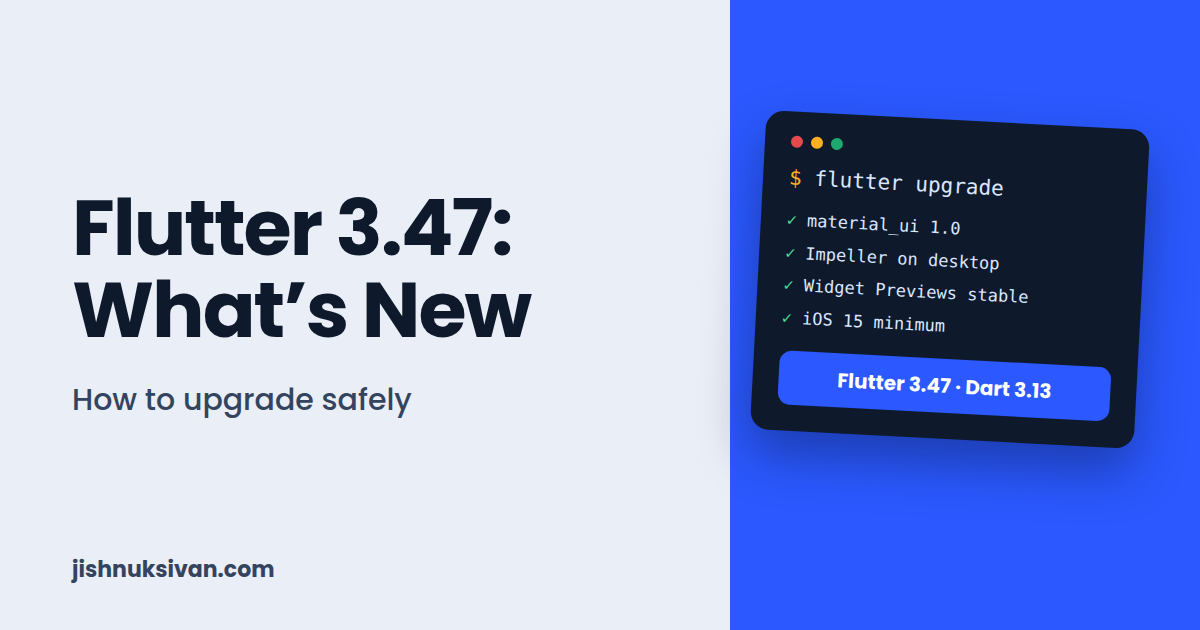
Flutter 3.47 arrived on August 12, 2026, and it’s one of the more important releases this year. Material and Cupertino now exist as standalone packages, Impeller is the default renderer on desktop, Widget Previews are stable, and there are new minimum versions for iOS and macOS.
If you have a Flutter app in production, you shouldn’t upgrade blindly. In this guide, I’ll explain what’s new in simple language, what could break in your project, and how to upgrade safely, step by step. I’ve based the details on the official Flutter 3.47 release blog and Flutter’s documentation.
Flutter 3.47 at a Glance
- Release date: August 12, 2026 (with Dart 3.13)
- Material and Cupertino are available as standalone packages:
material_uiandcupertino_ui(both version 1.0) - Impeller is now the default renderer on macOS, Windows, and Linux
- Widget Previews graduated to stable
- Minimum iOS raised from 13 to 15, and minimum macOS from 10.15 to 12
- UIScene lifecycle becomes mandatory for apps built with Xcode 27
- Wasm for web: progress toward making WebAssembly the default
- Desktop flavors now work on Windows and Linux
Flutter has also continued to ship patch releases after 3.47.0. Always run flutter upgrade to receive the latest patch, and check the Flutter release notes for the current version.
1. Material and Cupertino Become Standalone Packages
This is the biggest change in Flutter 3.47, and the one most likely to affect your code.
Until now, the Material and Cupertino design libraries were bundled inside the Flutter SDK. In 3.47, they are available as separate packages on pub.dev: material_ui and cupertino_ui. Both reached version 1.0 with this release.
Why this matters:
- The packages can get bug fixes and new components on their own schedule (the team plans weekly releases) instead of waiting for the quarterly Flutter SDK release.
- You can use newer Material or Cupertino styles without upgrading your whole Flutter SDK.
- It lays the groundwork for a more style-neutral Flutter core.
Is it required right now? No. In Flutter 3.47, the design libraries are still included in the core SDK, and moving to the standalone packages is opt-in. However, the old libraries inside the SDK are scheduled for formal deprecation in the Fall stable release in November. So the sooner you try the migration, the less rushed you’ll be later.
How to Migrate
Flutter provides an automatic migration tool. Run this in your project folder:
dart fix --apply --code=migrate_design_widgetsThis updates imports from package:flutter/material.dart and package:flutter/cupertino.dart to the new standalone packages.
According to the official blog, the migration tool had a known early bug where it could fail to update your pubspec.yaml. If that happens, add the package manually and run the fix again:
flutter pub add material_ui
flutter pub add cupertino_ui
dart fix --apply
(Add cupertino_ui only if your app uses Cupertino widgets.)
What If Your Dependencies Still Use the Old Imports?
Many third-party packages won’t migrate immediately. For this, material_ui ships a compatibility bridge. It lets your app move to the new packages even if some dependencies still import the old core SDK libraries. You wrap your app using the builder property of MaterialApp, with MaterialUiCompatibilityBridge. Check the official migration documentation for the exact usage in your version.
Localization Changes
flutter_localizations has also been unbundled. Material and Cupertino localization delegates now live inside material_ui and cupertino_ui. After migrating, you can use GlobalMaterialLocalizations.delegates, which includes the Cupertino and Widgets delegates too, so your setup becomes simpler.
2. Impeller Is Now the Default on Desktop
Impeller is Flutter’s newer rendering engine, built to replace Skia. It was already used on iOS and Android. In Flutter 3.47, it becomes the default renderer on macOS, Windows, and Linux.
Impeller compiles a fixed set of shaders ahead of time instead of during runtime, which helps remove the brief stutter that could appear the first time an animation plays. Desktop text rendering also gets sharper because Impeller now uses Signed Distance Function (SDF) rendering on desktop. On macOS, wide gamut color is active by default too.
If you run into rendering problems on desktop, you can temporarily opt out, but the fallback options will be removed in a future release. Flutter asks developers to report bugs if they have to go back to Skia. Mobile-only developers don’t need to change anything here.
3. Widget Previews Are Stable
Flutter Widget Previews let you see and test a single widget quickly without running your entire app. In 3.47 the tool graduated to stable, with:
- Faster startup thanks to local project caching
- A new
PreviewThemeDataAPI for testing widgets across different themes - Automatic syncing of web assets when previewing widgets that use web content
If you build lots of small UI components, this can speed up your workflow a lot.
4. New Apple Minimum Versions and the UIScene Requirement
To support Xcode 27, iOS 27, and macOS 27, Flutter raised its minimum supported versions:
- iOS: from 13 to 15
- macOS: from 10.15 to 12
If your app still supports iOS 13 or 14, you’ll need to adjust.
UIScene Lifecycle
The iOS 27 SDK requires the UIScene lifecycle for UIKit-based apps. Apps built with Xcode 27 that don’t adopt it will fail to launch.
For most apps, the Flutter CLI handles this migration automatically during the build. You only need to migrate manually if you have custom native code in your AppDelegate or use plugins that still depend on the older lifecycle. Flutter has an official UIScene adoption guide for that case. The Flutter team also recommends testing your app against Apple’s betas now, so there are no surprises on release day.
Intel Macs and Swift Package Manager
- Flutter is winding down support for Intel-based Macs. The CLI now prints warnings on Intel hosts, and these warnings will become errors in a future release.
- Swift Package Manager is progressing, and 92 of the top 100 iOS plugins have migrated. CocoaPods is now in maintenance mode, so plugins that don’t migrate will eventually stop working.
5. Android Requirements for Flutter 3.47
If you build for Android (which most readers of this blog do), pay attention to the versions Flutter 3.47 is verified with:
- Java: 17 (minimum)
- Kotlin Gradle Plugin: 2.4.0
- Android Gradle Plugin: 9.1.0
- Gradle: 9.3.1
- Default API levels: compileSdk 36, targetSdk 36, minSdk 24
Flutter recommends using the SDK-provided variables, such as flutter.compileSdkVersion and flutter.targetSdkVersion, in your build files instead of hard-coding numbers. That way, future releases update these automatically.
If you see Gradle errors after upgrading, the cause is often a mismatch between these versions. I’ll cover Gradle and Kotlin plugin migration in a separate guide.
6. Web, Wasm, and Other Updates
- Wasm progress: Flutter is working toward making WebAssembly the default for web apps. You can test it today with
flutter build web --release --wasm. Wasm requires the newerpackage:webinstead of the olddart:htmllibrary, so older web code may need updating. - Desktop flavors: Windows and Linux now support flavors, similar to mobile.
- Multi-window (experimental): Popup windows on Windows and Linux, and new APIs for native window handles.
- Accessibility and framework fixes: Android high-contrast and color inversion settings are now detected, and there are many fixes for text selection, scrolling, and gestures.
How to Upgrade to Flutter 3.47 Safely (Step by Step)
Follow this process to avoid breaking a working app.
Step 1: Back Up Your Project
Commit all your current work to Git, then create a new branch just for the upgrade:
git add .
git commit -m "Before Flutter 3.47 upgrade"
git checkout -b flutter-3-47-upgrade
If something goes wrong, you can return to your original branch in seconds.
Step 2: Check Your Current Setup
flutter --version
flutter doctor
Note your current Flutter and Dart versions, and fix any problems that flutter doctor reports before upgrading.
Step 3: Read the Breaking Changes
Open Flutter’s Breaking Changes page in the official docs and check for anything relevant to your app. Also read the official What’s new in Flutter 3.47 blog post.
Step 4: Check Your Packages
flutter pub outdatedThis shows which dependencies have newer versions. Packages that haven’t been updated for a long time may cause trouble, so consider updating them or finding alternatives.
Step 5: Upgrade Flutter
flutter upgradeThen confirm the version:
flutter --versionStep 6: Update Dependencies and Clean the Project
flutter pub upgrade
flutter clean
flutter pub get
Step 7: Analyze and Fix Issues
flutter analyze
dart fix --dry-run
dart fix --apply
Run dart fix --dry-run first to preview the changes, then apply them. Review the changes instead of accepting everything blindly.
Step 8: Run Your Tests
flutter testStep 9: Build and Test on Real Devices
Run the app in debug and release modes:
flutter run
flutter build apk --release
Test the main screens, login, payments, ads, and anything that uses native plugins. If your app uses AdMob, check that ads still load correctly with test ads.
Step 10: Decide About the Material/Cupertino Migration
You can upgrade Flutter first and migrate to material_ui and cupertino_ui later, in a separate commit. Doing it separately makes problems easier to identify. Since the old libraries are scheduled for deprecation in November, plan the migration in the next few weeks.
Step 11: Merge and Release Carefully
When everything works, merge the branch. For production apps, roll out gradually, for example to a small percentage of users first, and watch crash reports.
How to Go Back If Something Breaks
If the upgrade causes trouble you can’t solve quickly, you have two options:
- Switch back to your previous Git branch. This restores your project code.
- Return to your previous Flutter version. You can use the downgrade command or a tool like FVM (Flutter Version Management), which lets you keep different Flutter versions for different projects.
flutter downgradeUsing FVM is helpful if you maintain several apps and don’t want to upgrade them all at once.
Common Problems After Upgrading
- Gradle or Kotlin errors: Check your Java, Gradle, AGP, and Kotlin versions against the ones listed above.
- Packages not compatible: Run
flutter pub outdatedand update, or look for maintained alternatives. - Import errors after migrating to material_ui: Make sure the packages are in
pubspec.yamland re-rundart fix --apply. - iOS build failures: Check that your minimum iOS version is 15 or higher and that your plugins are up to date.
- Old plugins with CocoaPods: Look for newer plugin versions that support Swift Package Manager.
- Web build problems with Wasm: Replace
dart:htmlusage withpackage:web.
Should You Upgrade Right Now?
- Learning or hobby projects: Yes. Upgrade and explore the new features.
- Apps in production: Upgrade on a separate branch first, test thoroughly, then release gradually.
- Apps with many old dependencies: Update your packages first, then upgrade Flutter.
- Apps supporting iOS 13 or 14: Plan for the new minimum before you upgrade your iOS builds.
Frequently Asked Questions
What’s the latest stable Flutter version?
Flutter 3.47 reached stable on August 12, 2026, and has received patch releases since then. Run flutter upgrade to get the newest patch, and check the Flutter release notes for details.
Do I have to migrate to material_ui and cupertino_ui now?
Not right now. It’s opt-in in 3.47, but the old libraries in the SDK are scheduled for formal deprecation in the Fall stable release in November, so migrating soon is wise.
Will my existing app break after upgrading?
Most apps upgrade smoothly, but problems can happen with old dependencies, Gradle versions, or iOS settings. That’s why you should upgrade on a separate branch and test first.
Does Impeller on desktop affect my Android or iOS app?
No. The Impeller change in 3.47 is about macOS, Windows, and Linux. Android and iOS already used Impeller.
Do I need Xcode 27 to use Flutter 3.47?
No. Flutter 3.47 prepares for Xcode 27 and the new Apple operating systems, but you don’t need to switch immediately. The UIScene requirement applies to apps built with Xcode 27.
Can I go back to an older Flutter version?
Yes. Use Git to restore your code and flutter downgrade or FVM to return to a previous Flutter version.
Final Thoughts
Flutter 3.47 is a big step toward a more modular Flutter. The most important task for most developers is the Material and Cupertino migration, and the safest approach is simple: back up, upgrade on a branch, read the breaking changes, test properly, and release gradually.
If you’re new to Flutter or deciding between frameworks, you may also like my posts on Flutter vs Android Native and 50 ChatGPT Prompts for Android and Flutter Developers. Got a question about the upgrade? Send it through my Contact page.
Disclaimer: Flutter versions and policies change quickly. This article is for educational purposes and is based on the official Flutter 3.47 release information. Always check the official Flutter documentation before upgrading a production app.
